AI Product Exploded Infographic Generator

Upload a product photo, add editable component, ingredient, or material facts, and generate an AI exploded view.

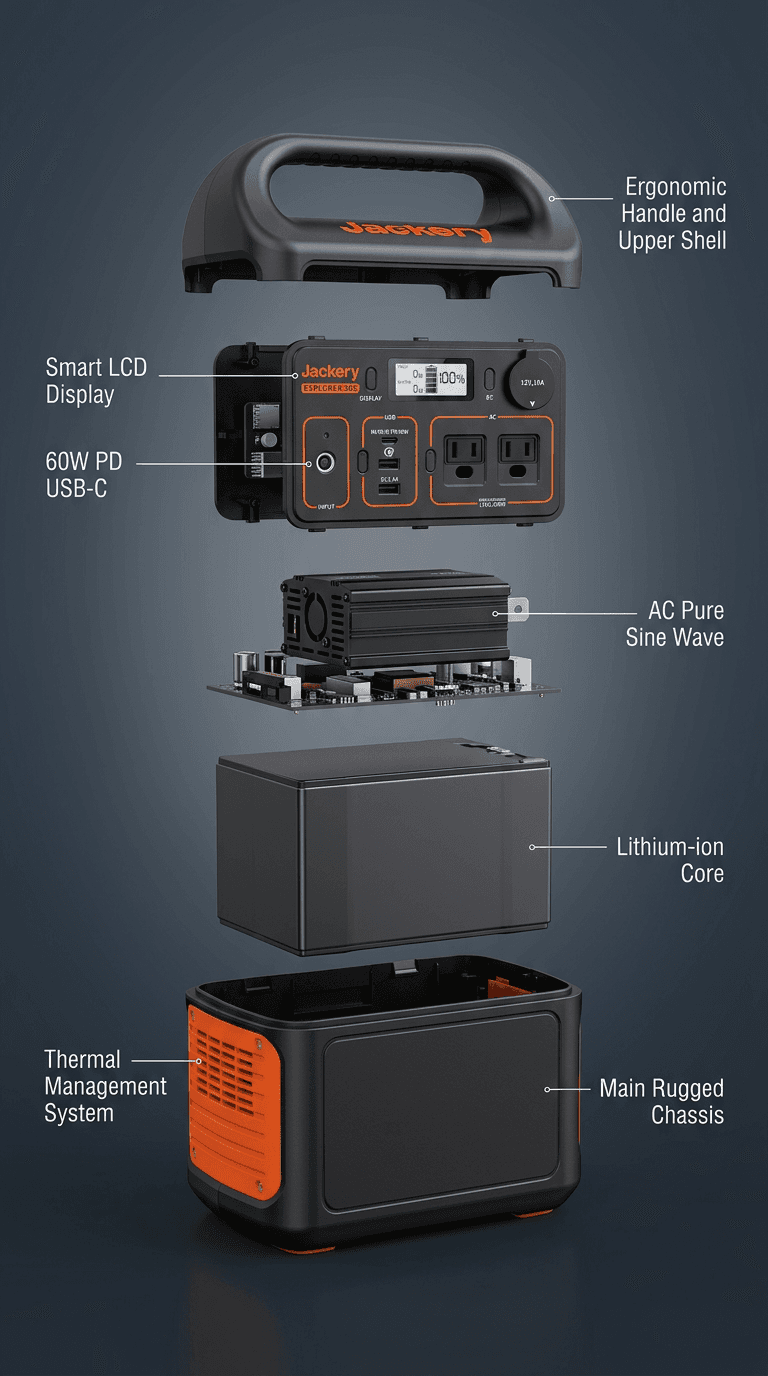
Product Exploded Infographic:Annotated product breakdown
Product Exploded Infographic:Component callout example
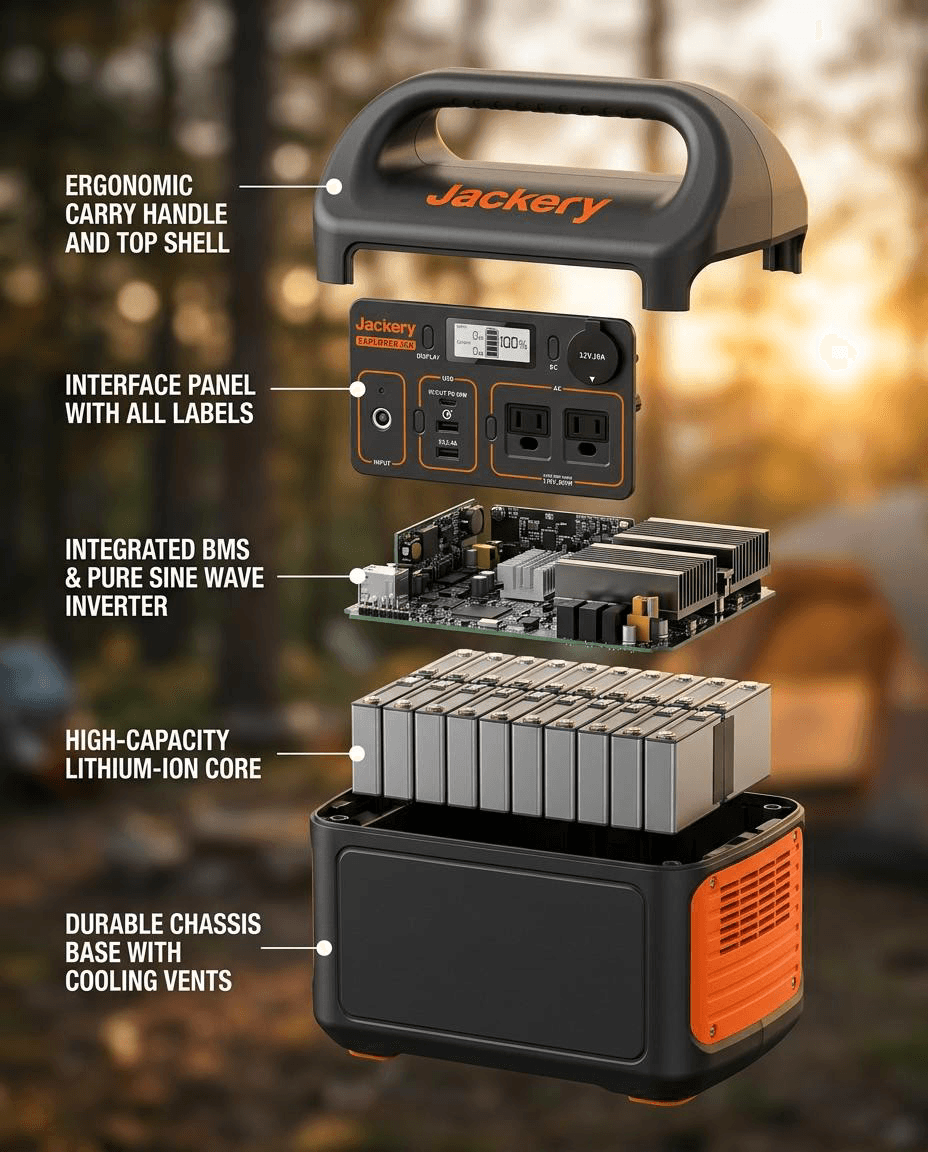
Product Exploded Infographic:Lifestyle exploded view

Visual deliverables

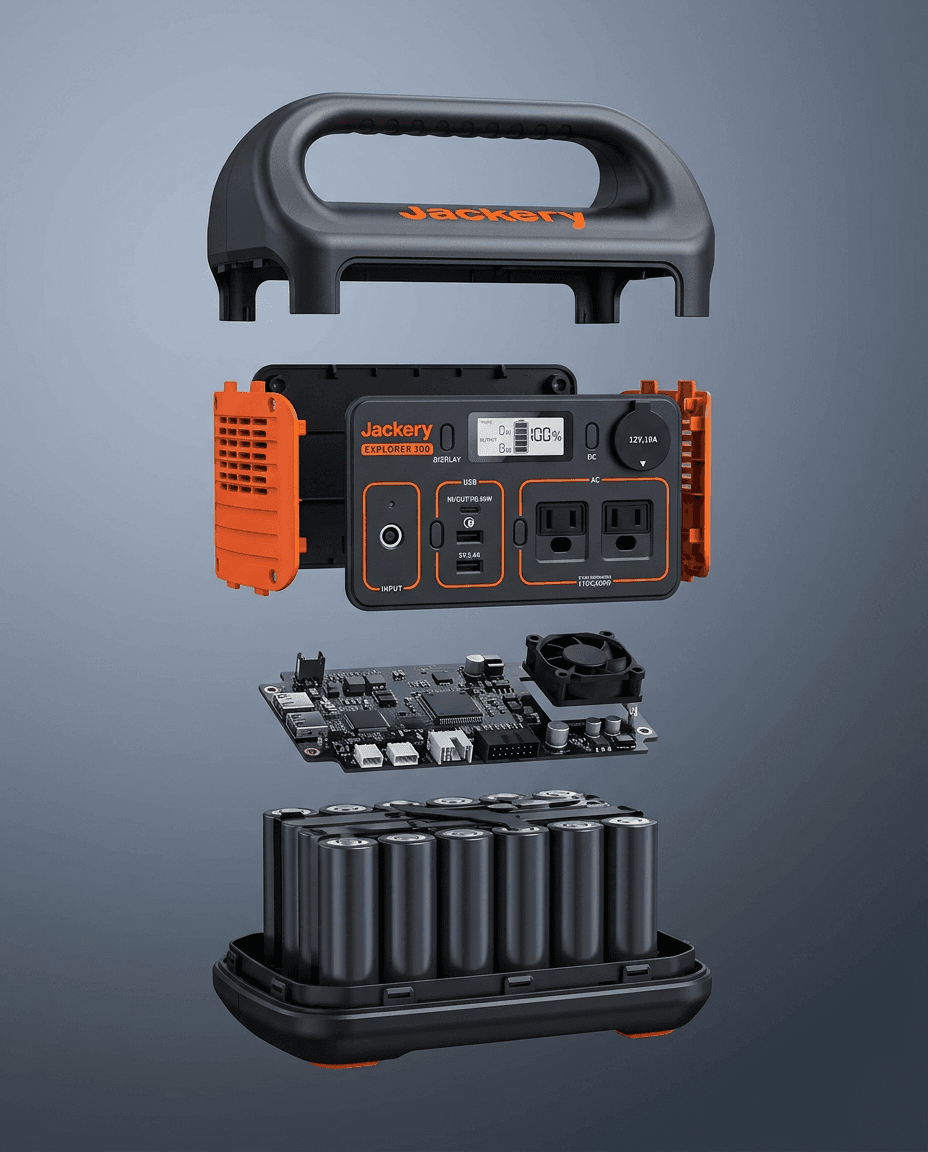
One portable power station shown as a labeled technical breakdown, a compact component callout, a lifestyle version, and a structure-only exploded view.

Built for campaigns
Product Exploded Infographic:Annotated product breakdown
Annotated product breakdown
Product Exploded Infographic:Component callout example
Component callout example
Product Exploded Infographic:Lifestyle exploded view
Lifestyle exploded view
Product Exploded Infographic:Structure-only exploded view
Structure-only exploded view

Production flow

Three quick moves to build a full visual set.

01

Upload core product image

02

Set callout style

03

Generate infographic variants

Impact highlights

Reduce reshoots and expand coverage while keeping visual cohesion.

Template focus

Infographic Visuals

Shows What Is Inside

Shoppers see ingredients, materials, and structure at a glance.

Detailed Callouts

Labels and annotations placed to stay readable on any screen size.

Reusable Style

Use the same infographic layout across your full product line.

Template strategy, use cases, and SEO details

How each template works, what it produces, and when to use it.

How to create a product exploded view with AI

People searching for an AI exploded-view generator usually need one of three things: a product structure diagram, an ingredient or material breakdown, or a labeled ecommerce infographic. This template covers all three from one product photo and verified facts.

Use it for Shopify product galleries, Amazon A+ modules, comparison blocks, and ads. The generator separates meaningful layers, places concise labels, and keeps the product recognizable across each version.

Editable information and output controls

  • Edit the product name, brand, and verified component, ingredient, material, or feature facts that the image should explain.
  • Adjust layer density, left/right/balanced/no-label callouts, and gradient, textured, or product-matched backgrounds.
  • Choose primary and secondary label languages, a preset or custom visual style, aspect ratio, and output size.
  • The uploaded image and product facts are the source of truth; if hidden internals are not provided, the template uses visible parts and supported materials instead of inventing engineering details.

Product Exploded Infographic FAQ

Which categories see the biggest impact from exploded visuals?
Skincare, supplements, technical devices, and component-driven products usually benefit the most because shoppers need internal structure or material proof before purchase.
Can this template avoid overcrowded labels on mobile?
Yes. Choose light, balanced, or dense layers, place callouts on the left, right, or both sides, or remove labels for a clean structure-only image.
What information can I edit before generating?
Edit the product name, brand, and verified component, ingredient, or material facts, then choose layer density, callout placement, background, label languages, visual style, aspect ratio, and output size.
How should I combine this with standard PDP visuals?
Use one exploded infographic as a technical credibility block, then pair it with lifestyle and feature-proof posters to cover both logic and emotional purchase drivers.

Launch visuals in minutes

Generate a full image set and keep every shot on brand.